

Overview
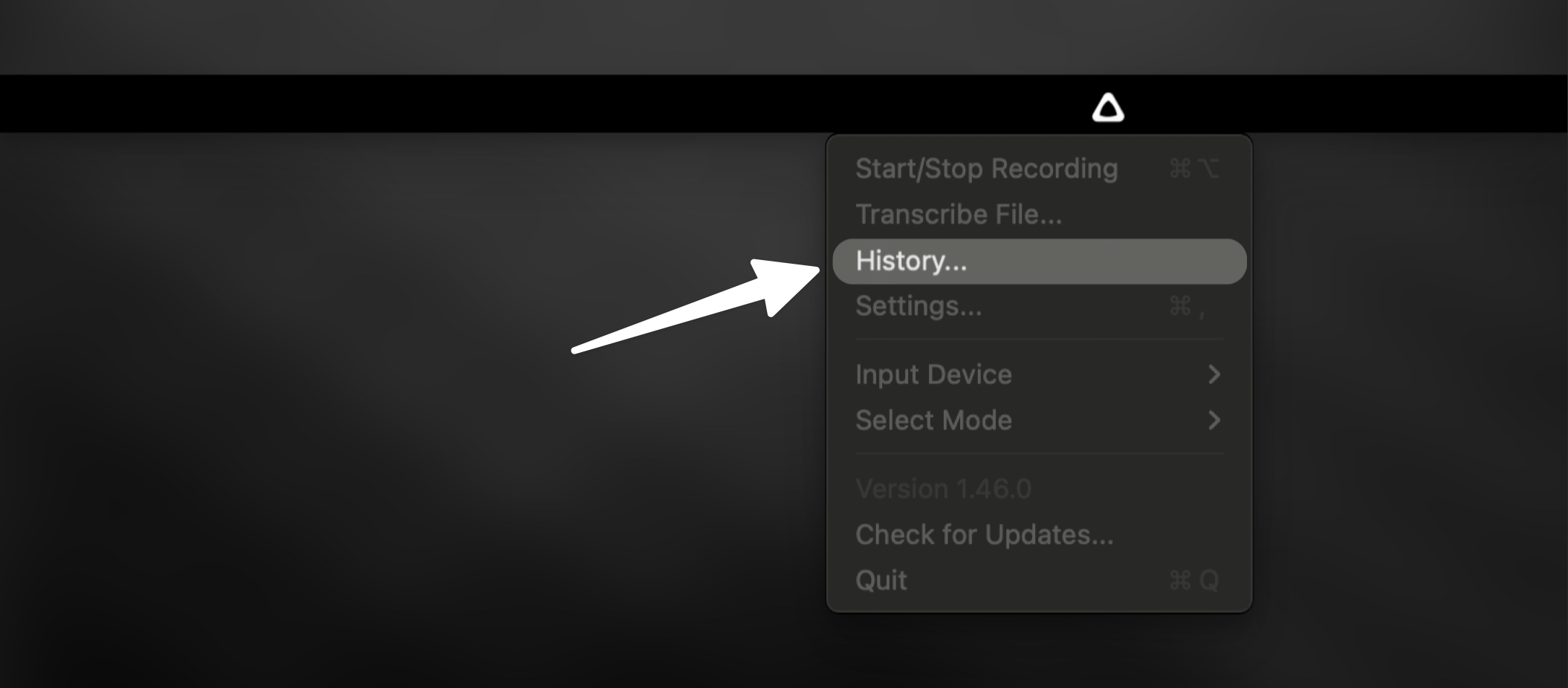
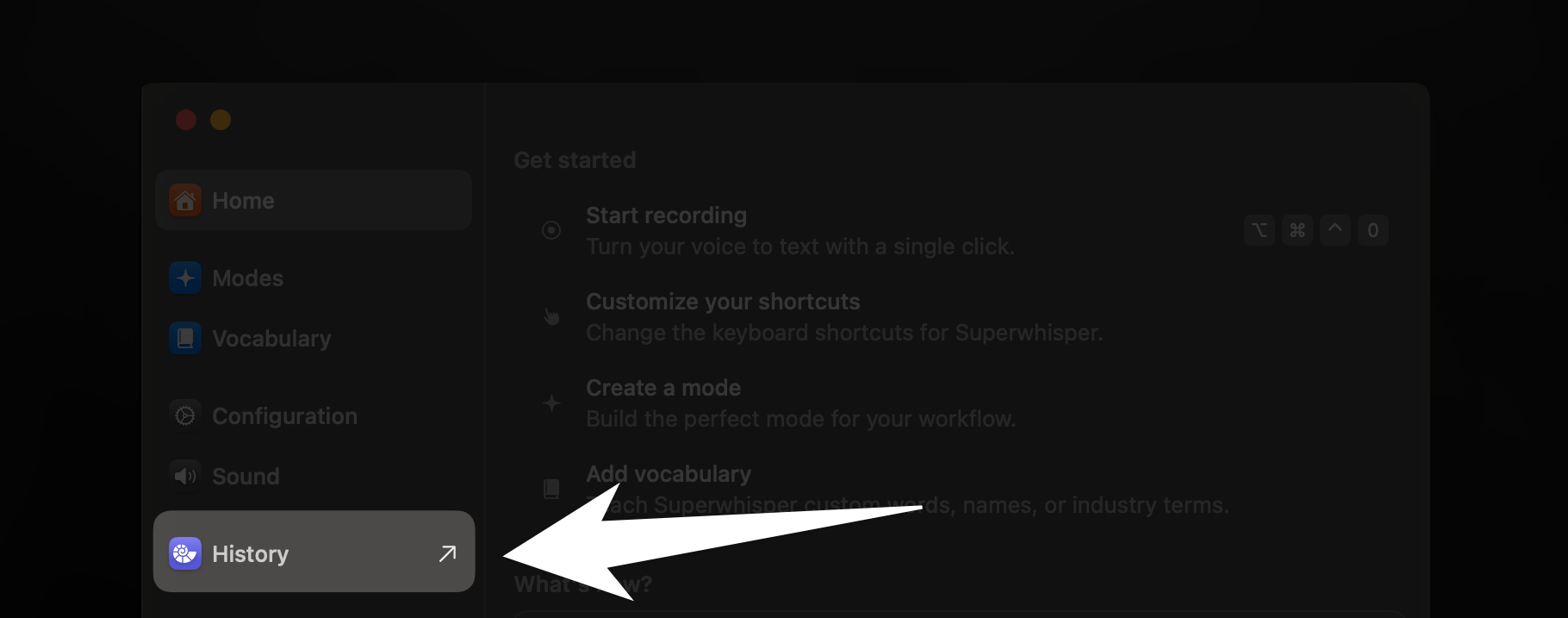
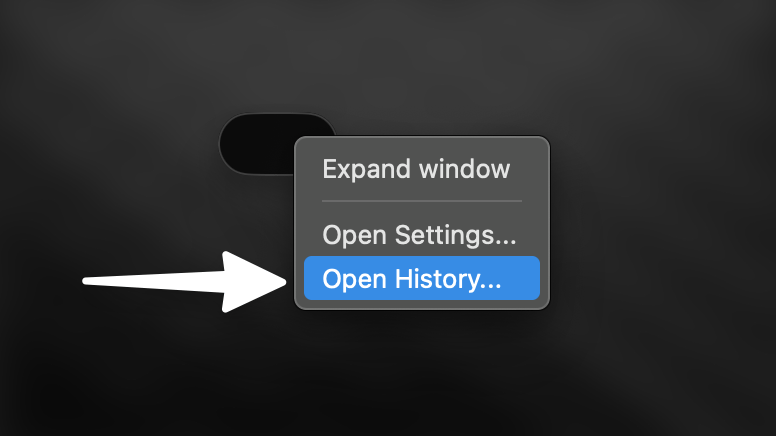
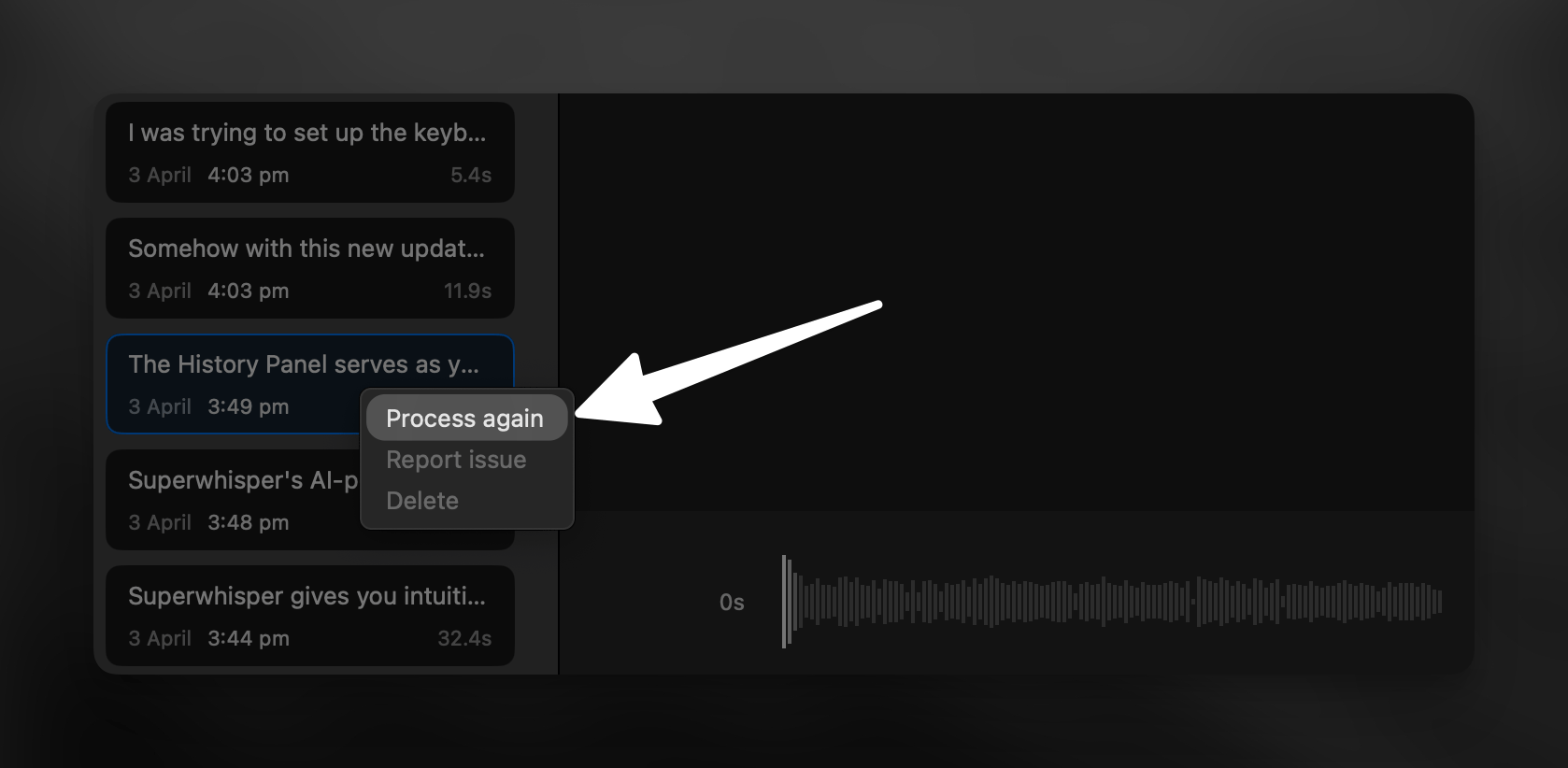
Superwhisper’s History feature allows users to reprocess previous dictations with ease, offering the convenience to retry failed transcriptions or explore different processing options without re-recording.Step by Step
Key Benefits
Once you learn how to reprocess dictations through Superwhisper’s History feature, a world of flexibility opens up for your transcription workflow. Now you can:- Avoid re-recording failed transcriptions
- Experiment with different Superwhisper modes
- Easily generate alternative outputs
- Save time and improve workflow efficiency
Related Documentation
Superwhisper's History
Discover more features in Superwhisper’s History tab. Analyze results, review AI prompts, troubleshoot transcriptions, and unlock powerful workflow tools.
File Transcription
Transcribe external audio and video files using Superwhisper’s modes. Expand your transcription capabilities with flexible file processing.